
AI Tool Guides
SEO Automation Tools That Actually Save Time
Some links in our roundups are affiliate links: if you buy through them we may earn a commission, at no extra cost to you. It never changes which tools we recommend or where they rank — we only list tools we would genuinely tell a friend to use.
The short answer: In 2026, the SEO work worth automating is the repetitive, rules-based kind — pulling reports, tracking rankings, crawling for broken pages and duplicate titles, and gathering raw keyword data. Software does all of that faster and more reliably than you can. What it can’t do is decide what’s worth ranking for, verify a claim, or judge whether a page is actually good. Automate the data collection; keep the judgement. Grouped by job: reporting (Google Search Console, Looker Studio, Supermetrics), rank tracking (Ahrefs, Semrush), technical audits (Screaming Frog), keyword research (Ahrefs, Semrush), and briefs (ChatGPT, Claude, Surfer).
SEO is a job made of two very different tasks stitched together. One half is mechanical: exporting the same report every Monday, checking whether fifty keywords moved, crawling a site for the redirect that broke last week. The other half is judgement: deciding which topics are worth the effort, reading what the data means, and turning a draft into something a person would actually want to read. Automation is genuinely transformative for the first half and mostly unhelpful — sometimes actively harmful — for the second.
This guide is deliberately honest about that line. It groups the tools by the job they do, and for each job it says plainly what you can hand to software and what still needs you. If you take one thing from it, take this: the goal isn’t to automate SEO, it’s to automate the parts of SEO that don’t need a brain, so you can spend your hours on the parts that do. For the wider marketing-stack picture, our AI tools for marketers roundup covers the tools that sit next to these.
- Reporting is the safest thing to automate — a dashboard that refreshes itself removes hours of copy-paste with zero downside, as long as a human still reads it.
- Rank tracking, crawling and keyword data collection are all reliably automatable; you’re buying speed and consistency, not judgement.
- “Automating keyword research” really means automating the data-gathering step. Choosing which keywords to target, and reading intent, stays human.
- The two jobs you should never fully automate are verifying facts and editing for quality. A tool that publishes unchecked is a liability, not a time-saver.
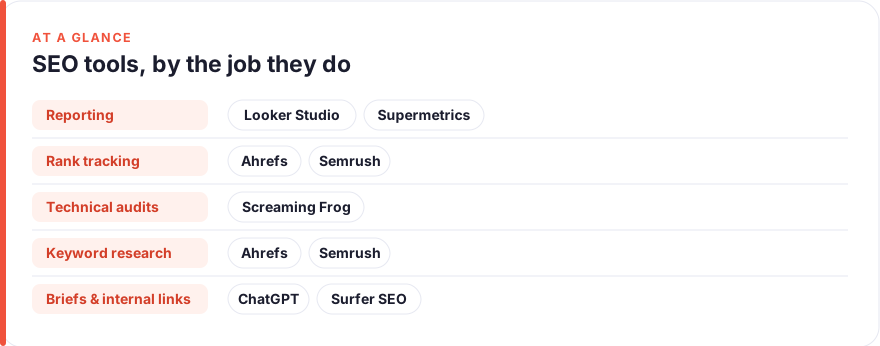
What SEO work is genuinely safe to automate in 2026
The reliable test is simple: if a task has a clear rule and a repeatable input, automate it. If it needs taste, context, or a decision you’d defend to a client, keep it.
That puts reporting, rank tracking, site crawls and raw keyword pulls firmly in the “automate” column — they’re deterministic, they run the same way every time, and a mistake shows up immediately. It puts topic selection, fact-checking, and final editing firmly in the “human” column, because a confident-sounding wrong answer in any of those does quiet, lasting damage. Most of the tools below are strongest at the first kind of work, and the ones with AI features are the ones you should watch most carefully, because that’s where the temptation to skip the human step creeps in.
Prices are an August 2026 snapshot, quoted per user before annual discounts and taxes, and some vendors show them in euros or pounds rather than dollars. Treat every figure as “roughly, check before you buy,” and check whether a tool you already pay for covers the job before adding a new invoice. We have no affiliate relationship with any tool here; see our disclosure and more on how we test tools.
Reporting — the safest job to automate
If you automate one thing, make it reporting. A dashboard that pulls its own numbers and refreshes on a schedule removes the single most repetitive task in SEO with essentially no risk — the data is what it is, and the only human job left is reading it. This is also the cheapest win, because the core stack is free.
Google Search Console + Looker Studio
Best for: Free, self-refreshing SEO dashboardsFree (both are Google products)
The default starting point, and hard to beat on value. Connect Search Console and GA4 to Looker Studio once, lay out the charts a stakeholder actually asks about, and the weekly report builds itself from then on. This is the concrete version of the workflow in our guide to automating reporting — the setup takes an afternoon and pays back every week after. The honest limit: it shows you what happened, not what to do about it.Pros
- Search Console feeds clicks, impressions, position and queries straight into Looker Studio
- Build a dashboard once and it refreshes on its own — no more weekly exports
- Genuinely free for the core connectors, including GA4
Cons
- Native connectors cover Google's own data well but little else
- Dashboards still need a human to interpret them and decide what to change
/assets/screenshots/looker-studio.png Supermetrics
Best for: Pulling non-Google data into one reportStarter from ~€49/mo · Growth ~€199/mo (Aug 2026 — check the vendor)
The upgrade you buy only when your reporting spans platforms Google doesn’t cover. Supermetrics is a connector layer: it lifts data out of the ad networks, Bing Webmaster, and social tools and drops it into the same dashboard as your organic numbers, on a schedule. If your reporting is purely organic and Google-shaped, the free stack above already does the job — add this when consolidating five sources by hand is the thing eating your Monday.Pros
- Connects dozens of sources — ad platforms, Bing, social — into Looker Studio or Sheets
- Removes manual exports from tools that don't talk to Google natively
- One scheduled pull replaces a folder full of CSVs
Cons
- A real cost on top of the free Google stack; only worth it past a certain data spread
- Overkill if all your data already lives in Search Console and GA4
/assets/screenshots/supermetrics.png Rank tracking — set it and check it
Tracking where you rank is textbook automation: you define the keywords once, and the tool checks positions on a schedule, logs the history, and flags big moves. No judgement required in the collection step — the judgement is in what you do when something drops. Both major SEO suites do this well as one feature among many, so the real question is usually which suite you already pay for.
Ahrefs
Best for: Rank tracking inside a full SEO suiteStarter ~€27/mo · Lite ~€119/mo · Standard ~€229/mo (≈$29/$129/$249; Aug 2026 — check the vendor)
Rank tracking here is one tab of a broader tool, which is the point: if you’re already in Ahrefs for keywords and backlinks, tracking positions is a free habit rather than a separate subscription. Set your target keywords and locations once and let it build the history. If tracking is genuinely the only job you need, a dedicated tracker (Nightwatch, AccuRanker and similar start in the low tens of dollars a month — check the vendor) is cheaper, but you lose the rest of the suite.Pros
- Scheduled position tracking with clean history and share-of-voice charts
- Same subscription also covers backlinks, keywords and site audits
- Alerts surface meaningful ranking movements without you looking
Cons
- Priced as a full suite — a lot to pay if rank tracking is all you need
- Keyword and crawl limits on lower tiers can bite for larger sites
/assets/screenshots/ahrefs.png Semrush
Best for: Position tracking with competitive contextSEO plan ~$139/mo · Starter ~$199/mo · Pro+ ~$299/mo (Aug 2026 — check the vendor)
Semrush covers the same core job — scheduled tracking, history, alerts — with a strong competitive lens, showing not just your movement but who’s moving around you. Note the plan names changed in 2026: the newer entry “SEO” plan is the one to price against Ahrefs’ lower tiers. As with Ahrefs, buy it for the whole toolset, not tracking alone. Pick between the two mostly on which interface you prefer and where your team already has logins.Pros
- Position tracking with daily updates and visibility trend lines
- Ties rankings to competitor movement and SERP-feature presence
- Broad toolset if you also need keyword and audit data in one place
Cons
- Full suite pricing is a step up; the entry plan has tracking limits
- Depth can be more than a small site needs day to day
/assets/screenshots/semrush.png Technical audits — automate the crawl, not the fix
Crawling a site to find broken links, redirect chains, duplicate titles and missing metadata is one of the most rewarding things to automate, because the machine is genuinely better at it than you are — it never gets bored on page 400. What stays human is triage: deciding which of the hundred issues actually matter and in what order.
Screaming Frog SEO Spider
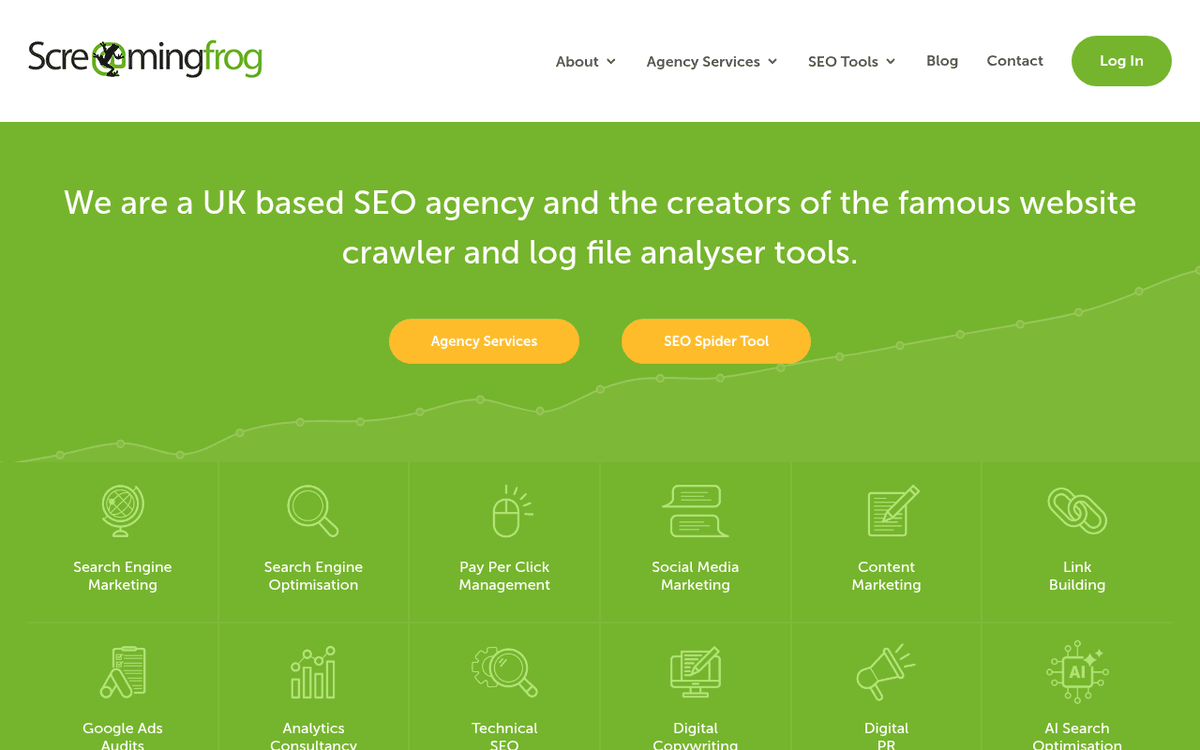
Best for: Deep technical crawls of your own siteFree up to 500 URLs · paid licence ~£259/€245 per year (Aug 2026 — check the vendor)
The standard for technical crawling, and the free tier alone covers a small site end to end. Point it at your domain and it returns the unglamorous list — the 404s, the redirect loops, the pages missing a title — that quietly erodes rankings. On a paid licence you can schedule crawls so the audit reruns itself. The automation ends at the report, though: it tells you what’s broken, and a human still decides what’s worth fixing this quarter. Both Ahrefs and Semrush include cloud-based site audits in their suites if you’d rather not run a desktop crawler.Pros
- Crawls like a search engine and surfaces broken links, redirects and duplicate/missing tags
- Free tier handles small sites completely (up to 500 URLs)
- Scheduling turns a full technical audit into a recurring, unattended job
Cons
- A desktop tool with a learning curve — the report is only as useful as your reading of it
- Finds problems; prioritising and fixing them is entirely on you
/assets/screenshots/screaming-frog.png Keyword research and clustering — automate the gathering, keep the choosing
“Automating keyword research” is a slightly misleading phrase. Software can gather thousands of keyword ideas, volumes and difficulty scores in seconds, and it can group them by how similar their search results are. What it can’t do is decide which of those keywords is worth your time, or reliably read the intent behind a query. Automate the collection and the first-pass clustering; make the final call yourself.
Ahrefs
Best for: Keyword data and difficulty at scaleStarter ~€27/mo · Lite ~€119/mo (≈$29/$129; Aug 2026 — check the vendor)
For the gathering step, Keywords Explorer is hard to beat: seed a term and it returns the long list, with the parent-topic view doing a useful first cut of clustering. That saves the hours you’d otherwise spend assembling a spreadsheet. The step it can’t take for you is the important one — looking at that list and deciding which handful of terms actually match what you sell and can realistically rank for.Pros
- Generates huge keyword lists with volume, difficulty and parent-topic grouping
- Shows the ranking pages so you can sanity-check intent quickly
- Exports clean data you can cluster further yourself
Cons
- Data volume can overwhelm; the tool won't tell you which terms fit your business
- Difficulty scores are directional, not a guarantee
/assets/screenshots/ahrefs.png Semrush
Best for: Keyword ideas with intent labelsSEO plan ~$139/mo (Aug 2026 — check the vendor)
Semrush leans harder into helpful pre-sorting: it clusters variations and attaches an intent label, which genuinely speeds up the triage. Treat those labels as a fast first pass, not the decision. A pair-up worth knowing: export the raw list from either suite, then hand it to a general assistant like ChatGPT or Claude to sort into topic clusters and outline angles — a cheap way to automate the tedious grouping while you keep the judgement.Pros
- Keyword Magic Tool spins one seed into thousands of grouped variations
- Tags queries with an intent guess to speed up your first sort
- Built-in clustering groups terms by shared ranking pages
Cons
- Intent labels are a starting point, not a verdict — verify before you commit
- Full pricing is only worth it if you use the wider suite too
/assets/screenshots/semrush.png Content briefs and internal linking — the assistant is a drafter, not an author
This is where automation gets seductive and risky. AI assistants are excellent at turning research into a structured brief in minutes, and internal-linking tools can suggest dozens of relevant links across a site. Both save real time. Both also produce output you must review before it ships — an unverified brief bakes in errors, and an unchecked link suggestion can point somewhere irrelevant.
ChatGPT
Best for: Turning research into a first-draft briefFree · Plus ~$20/mo · Business ~$25/user/mo ($20 annual) (Aug 2026 — check the vendor)
The fastest way to get from research to a working brief. Feed it your target keyword, the competing pages, and the angle you want, and it returns a structured outline you can edit rather than a blank page. Use it the same way for repurposing existing content into new formats, as in our guide to automating content repurposing. The hard rule: it drafts, you verify. Any number, quote or claim it produces is a lead to check, never a fact to publish.Pros
- Turns a pile of SERP notes and keywords into a structured outline fast
- Drafts brief sections, FAQ suggestions and heading structures on demand
- The free tier already covers most brief-drafting work
Cons
- Invents statistics and citations with total confidence — every fact needs checking
- Doesn't know your site or audience unless you tell it
/assets/screenshots/chatgpt.png Claude
Best for: Long, nuanced briefs that hold their shapeFree · Pro ~$20/mo ($17 annual) · Team ~$25/user/mo (Aug 2026 — check the vendor)
A close peer to ChatGPT for this job, and many SEOs keep both. Claude is especially good when the input is large — hand it three ranking pages plus your brand voice and ask for a brief that accounts for all of them, and it holds the detail. Pick on which output voice you prefer and where your team has seats. As with any assistant, the brief it writes is a strong first draft that a human must fact-check and shape before a writer touches it.Pros
- Handles long inputs well — paste several competitor pages and a style guide at once
- Tends toward measured prose, which suits considered brief-writing
- Keeps a detailed brief coherent without flattening the nuance
Cons
- Same verification burden on facts and figures as any assistant
- Narrower integration ecosystem than ChatGPT's
/assets/screenshots/claude.png Surfer SEO
Best for: SERP-driven brief structureEssential ~€49/mo · Scale ~€99/mo · Pro ~€182/mo (Aug 2026 — check the vendor)
Where a general assistant improvises structure, Surfer derives it from the pages currently ranking — pulling common headings, related terms and a rough length target into a brief. That’s a useful, data-grounded starting scaffold. The trap is treating its term-count suggestions as a checklist; writing to hit densities produces exactly the thin, samey content Google’s helpful-content signals discount. Use it for the skeleton, then let a human write for a reader, not a score.Pros
- Builds briefs from live SERP analysis — headings, terms and length targets
- Speeds up the mechanical part of a brief with data, not guesswork
- Content editor scores drafts against the competing pages in real time
Cons
- Term-density guidance is easy to over-follow into robotic writing
- Another subscription on top of a general assistant that overlaps some of the job

/assets/screenshots/surfer.png Link Whisper
Best for: Surfacing internal-link opportunitiesSingle-site licence roughly $77–$97/year depending on tier (Aug 2026 — check the vendor)
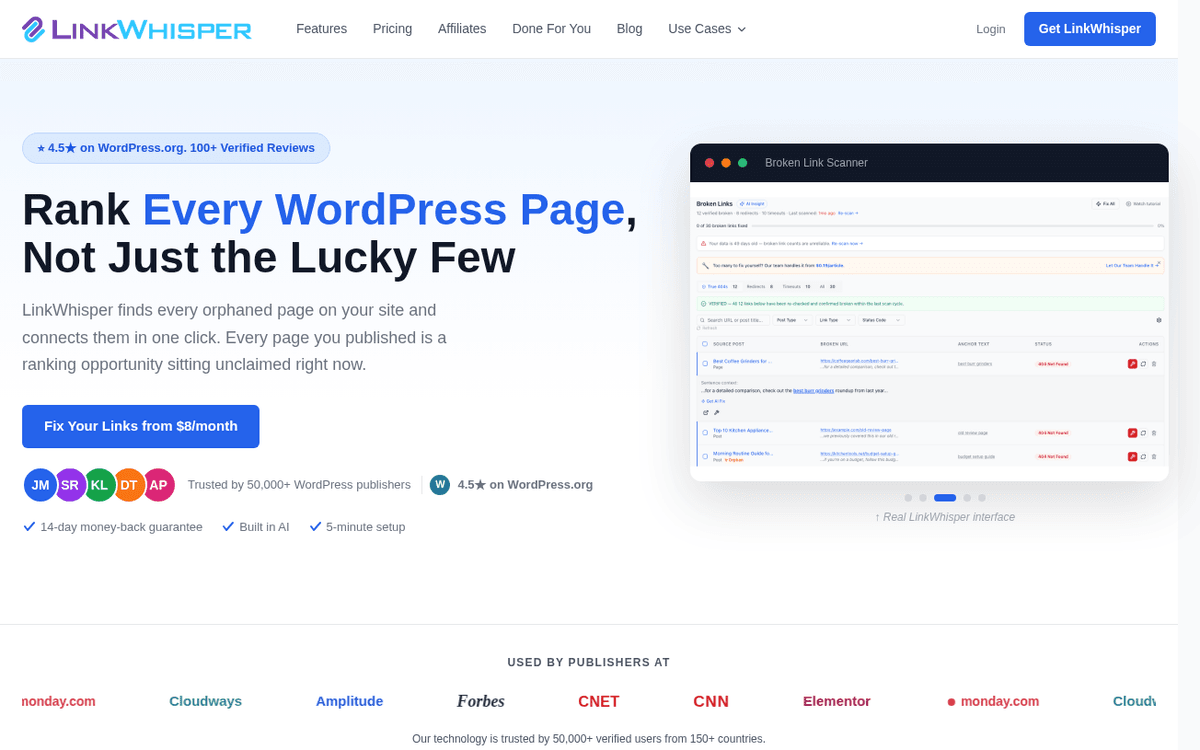
Internal linking is repetitive enough to want help with and consequential enough that you can’t fully hand it over. Link Whisper reads your library and proposes contextual links, and flags orphaned pages — the tedious discovery work, automated. But every suggestion is a recommendation, not a decision: it can propose a link that’s topically close but contextually wrong. Approve them one by one, or in small reviewed batches, and it saves real time without letting odd links slip into your site.Pros
- Scans your content and suggests relevant internal links you'd otherwise miss
- Reports orphaned pages with no inbound internal links
- Adds suggested links in bulk once you've approved them
Cons
- Suggestions still need human review — relevance isn't guaranteed
- Pricing varies by tier and promotion; confirm the current figure on the vendor's site
/assets/screenshots/link-whisper.png The four things you should still do by hand
Everything above automates the doing. These four resist automation because they’re the deciding, and getting them wrong is how automated SEO quietly goes off the rails.
1. Choosing what to target. A tool can hand you ten thousand keywords; it can’t tell you which fifteen are worth a page. That call depends on your business, your margins, and what you can realistically rank for — context no tool has. Keyword research automates the list, never the shortlist.
2. Verifying facts and claims. Every AI assistant will produce confident, well-formatted, wrong information — invented statistics, misattributed quotes, citations to pages that don’t say what it claims. If a number goes on your site, a human has to have confirmed it at the source. This is non-negotiable, and it’s the single most common way automated content damages a brand.
3. Editing for quality and voice. Drafts arrive fast; good writing doesn’t. The gap between a machine-passable draft and something a reader trusts is judgement — cutting the padding, fixing the argument, making it sound like a person who knows the subject. Google’s helpful-content signals reward exactly the human layer that automation skips.
4. Deciding what to do with the data. A dashboard that refreshes itself and an audit that reruns on schedule still just describe reality. Someone has to read the ranking drop and decide whether it’s a fix, a rewrite, or noise; approve the internal links; prioritise the crawl issues. Automation delivers the information instantly — acting on it wisely is still the job.
FAQ
Which SEO tasks can actually be automated?
The repetitive, rules-based ones. Reporting (self-refreshing dashboards), rank tracking (scheduled position checks), technical crawls (finding broken links and metadata issues), and keyword-data collection all automate cleanly, because each has a clear input and a repeatable process. The tasks that resist automation are the ones needing judgement: choosing targets, verifying facts, editing, and deciding what to act on.
Can you fully automate keyword research?
Not the part that matters. You can automate gathering keywords, volumes and difficulty scores, and even a first-pass grouping into clusters — tools like Ahrefs and Semrush do that in seconds. What you can’t automate is deciding which keywords fit your business and judging the real intent behind a query. So “automated keyword research” means an automated list plus a human shortlist, not a hands-off process.
How do I automate Google Analytics and Search Console reports?
Connect GA4 and Search Console to Looker Studio, build the dashboard once, and it refreshes on its own — no more weekly exports. It’s free, and it covers most organic reporting. If you also need data from ad platforms, Bing or social in the same view, a paid connector like Supermetrics pulls those in on a schedule. Our automating reporting guide walks through the setup.
Are free SEO automation tools good enough to start?
For many sites, yes. Google Search Console and Looker Studio cover reporting for free, and Screaming Frog crawls up to 500 URLs at no cost — enough for a small site’s full technical audit. Free ChatGPT and Claude tiers handle most brief-drafting. Pay when you hit a real limit: more keywords to track, crawl volume beyond 500 URLs, or multi-platform reporting.
Will automation and AI replace SEOs?
No — it replaces the mechanical parts of the job. The data collection, the crawling, the report building, the first-draft briefs: all of that gets faster and cheaper. What’s left is the higher-value work automation can’t do — strategy, verifying claims, editing for quality, and deciding what the numbers mean. The SEOs who thrive are the ones who let tools do the busywork and spend the reclaimed time on judgement.
What’s the best SEO automation tool to start with?
Start with reporting, because it’s the safest win and it’s free: build a Looker Studio dashboard on Search Console and GA4. From there, add one tool per bottleneck — a suite like Ahrefs or Semrush if you need keywords, rankings and audits in one place, Screaming Frog if technical crawling is your gap, and a general assistant for briefs. Resist buying everything at once; add each tool only when a specific job is genuinely slowing you down.